Dose for Jobber
Chemical logging built for pool pros on Jobber
Jobber tracks chemicals on desktop only — there is no chemical tracking in the Jobber mobile app. Dose is the mobile side: techs log readings at the pool, and everything syncs back to Jobber where your office already works.
See it in 54 seconds
From the pool deck to the Jobber job
Read the transcript
Every pool on your route has a story. Most of them… are written on a soggy clipboard. Sure, Jobber can track chemicals… on the desktop. But your techs are out here, by the water.
Meet Dose. The mobile side of Jobber, built for pool pros.
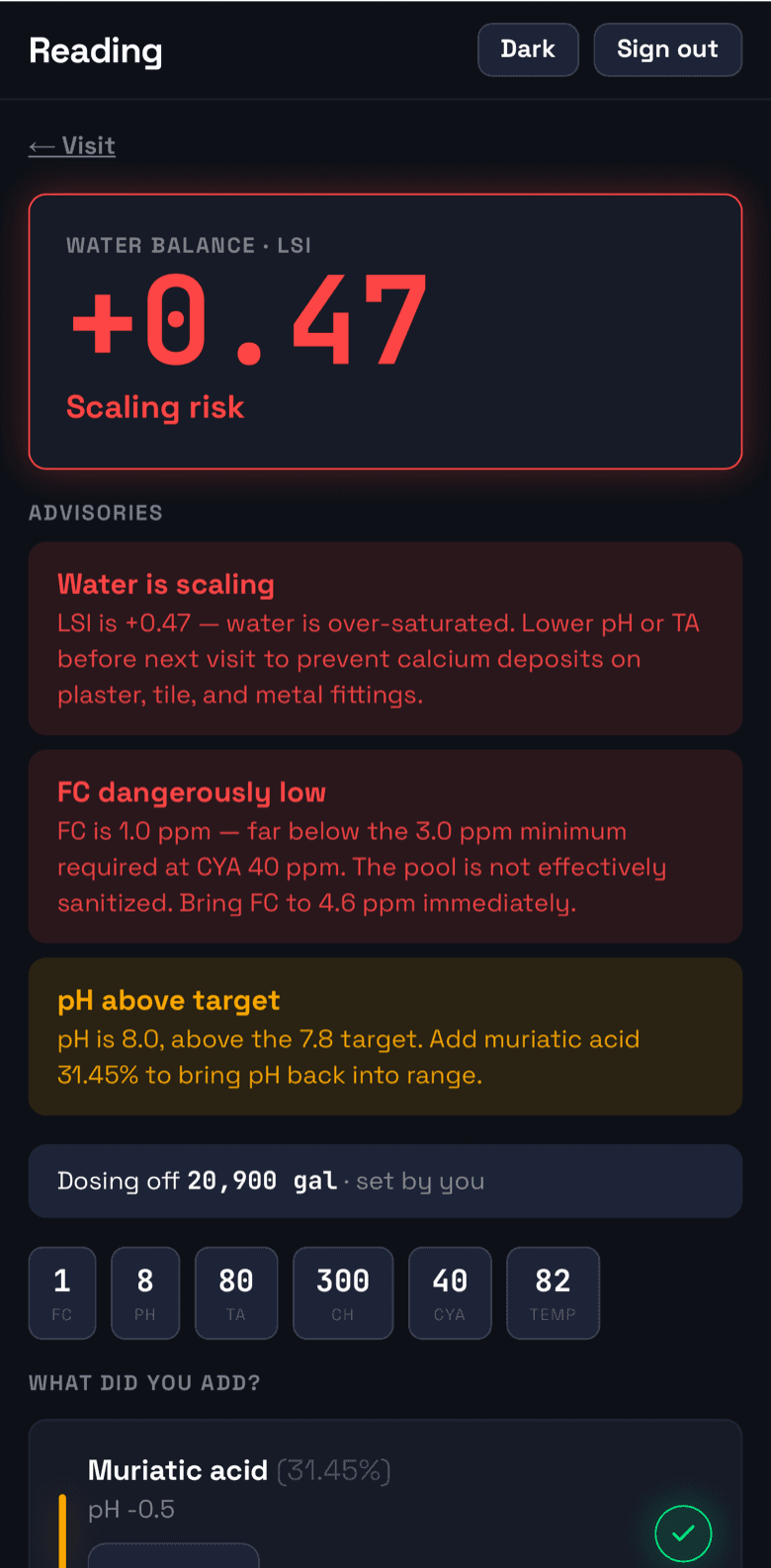
Open today’s route. Snap a test strip, and AI reads the values for you. Then Dose handles the chemistry. Water balance, and exactly what to add, right at the pool.
No signal? It keeps working offline, then syncs every reading back to Jobber, as a note on the job. Your office sees every pool at a glance. And your customers get a clean service report.
Start free, with fifty visits a month. Every tech on your team, included. Dose, for Jobber. Get early access at doseapp.ai
Why Dose
Your techs are in the field. Their logging should be too.
A route tech services 60–90 pools a week. Paper logs get wet, spreadsheets wait until evening, and desktop-only tracking never leaves the office. Dose puts the log where the water is.
Log at the pool
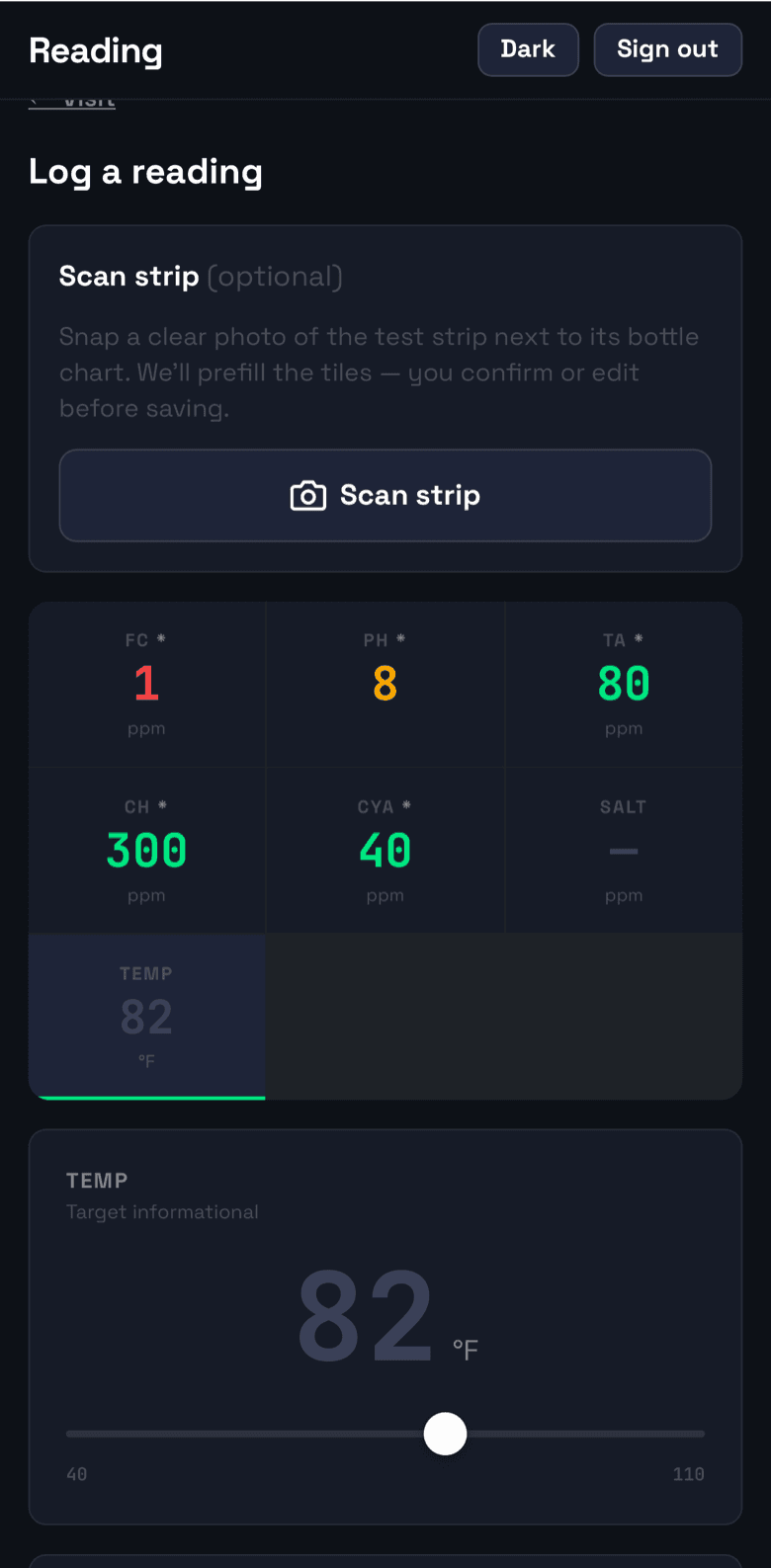
Readings, dosing, and photos on a phone — built for wet hands and sun glare. Works offline and syncs when the signal comes back.
Scan test strips
Point the camera at a test strip and AI reads the values. Low-confidence results fall back to manual entry — no guessed numbers, ever.
Sync back to Jobber
Readings land on the Jobber job as a [Dose]-tagged note — one per visit, updated in place. Turn on custom fields and the job shows the latest values too.
Dosing math built in
Chlorine, pH, alkalinity, and LSI targets computed from the reading and pool volume — the tech sees what to add before leaving the pool deck.
Office dashboard
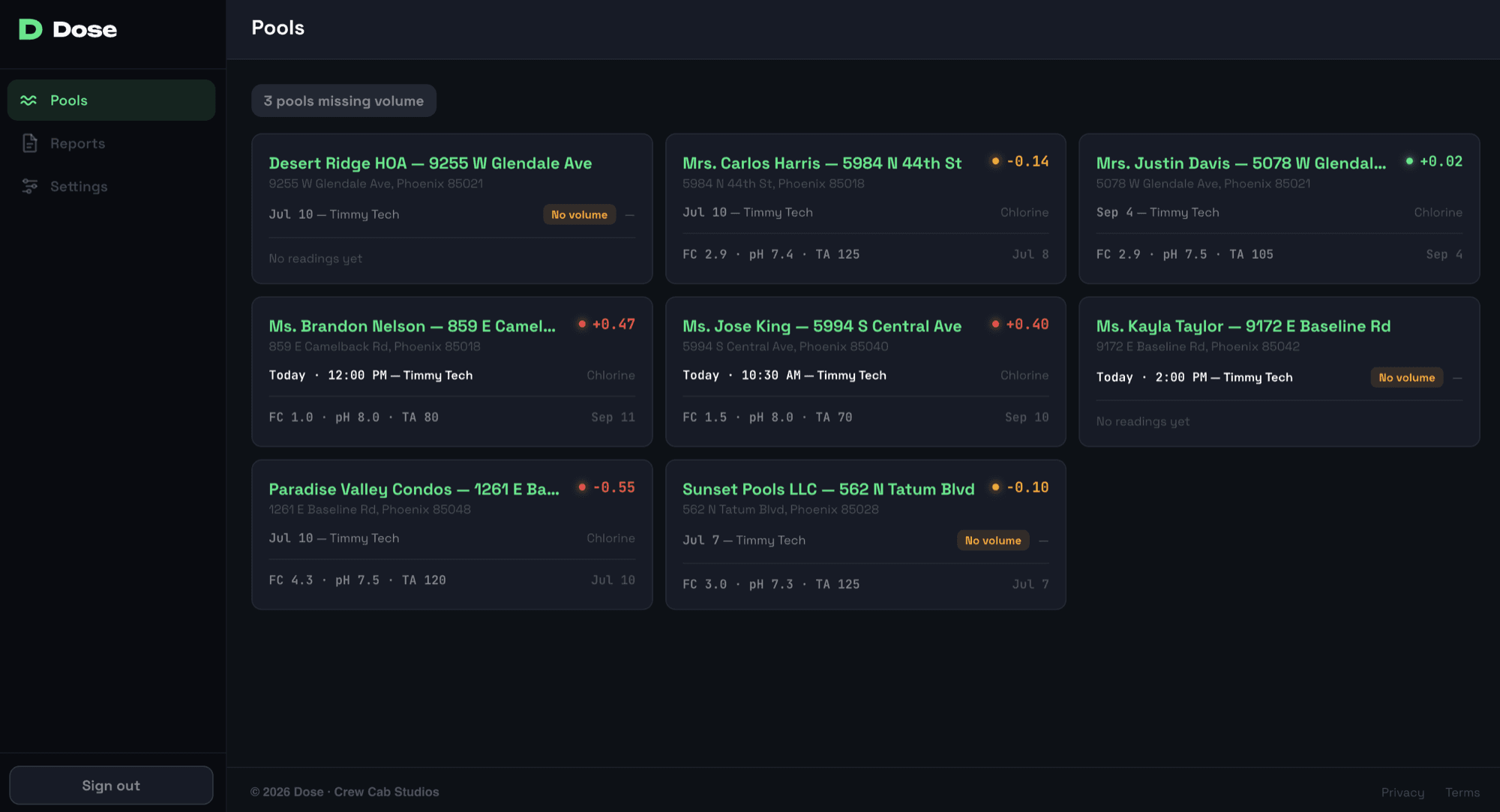
Owners and office staff see every pool, reading, and out-of-range flag in one place, and can send customers a clean service report.
Your data stays yours
Dose never touches invoices, payments, or client communications in Jobber. Disconnect anytime and take a full export with you.
Office dashboard
The office sees every pool
Every pool on the route with its last reading and water balance in one view. Out-of-range flags, missing pool volumes, and today’s stops surface on their own — nobody has to call a tech for numbers.
Sync back
It all lands back in Jobber
Each visit’s readings, water balance, and chemicals added post to the Jobber job as a [Dose]-tagged note — one per visit, updated in place. The office never leaves Jobber to see the day’s chemistry.
![A Jobber job page showing a [Dose] note with the visit’s chemical readings, LSI, and chemicals added, posted by Dose](/_next/image?url=%2Fscreens%2F04-jobber-note.png&w=3840&q=75)
Pricing
Start free, pay by the visit
Every plan includes unlimited techs and admins — visits are the only meter. The free plan covers 50 visits a month; paid plans start at $29/mo.
See pricingBring chemical logging into the field
Connect your Jobber account, put Dose on your techs' phones, and today's route is ready to log.
Get early access