How Dose works
From Jobber connection to customer report, the whole loop takes one visit to see. No new back office to learn — Dose feeds the one you have.
Read the transcript
Every pool on your route has a story. Most of them… are written on a soggy clipboard. Sure, Jobber can track chemicals… on the desktop. But your techs are out here, by the water.
Meet Dose. The mobile side of Jobber, built for pool pros.
Open today’s route. Snap a test strip, and AI reads the values for you. Then Dose handles the chemistry. Water balance, and exactly what to add, right at the pool.
No signal? It keeps working offline, then syncs every reading back to Jobber, as a note on the job. Your office sees every pool at a glance. And your customers get a clean service report.
Start free, with fifty visits a month. Every tech on your team, included. Dose, for Jobber. Get early access at doseapp.ai
- 01
Connect your Jobber account
Install Dose from the Jobber App Marketplace and approve the connection — that’s your sign-up, with your Jobber email as your login. Your scheduled visits, properties, and team sync over automatically — no CSV imports, no re-typing your route.
- 02
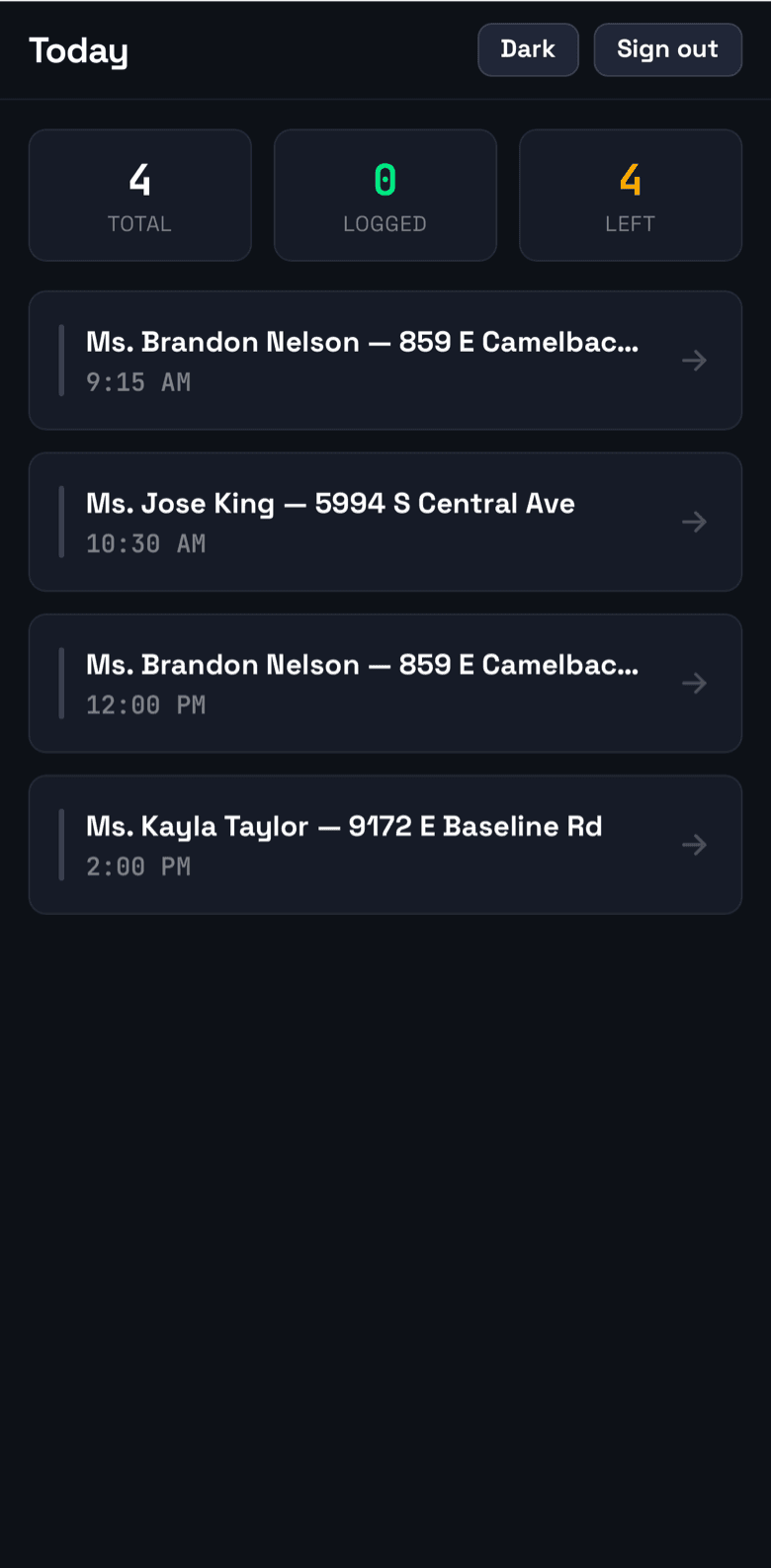
Techs open today’s route on their phone
Dose installs to the home screen like a native app. Each tech sees their assigned visits for the day, pulled straight from the Jobber schedule — even with no signal, the route is already on the phone.
- 03
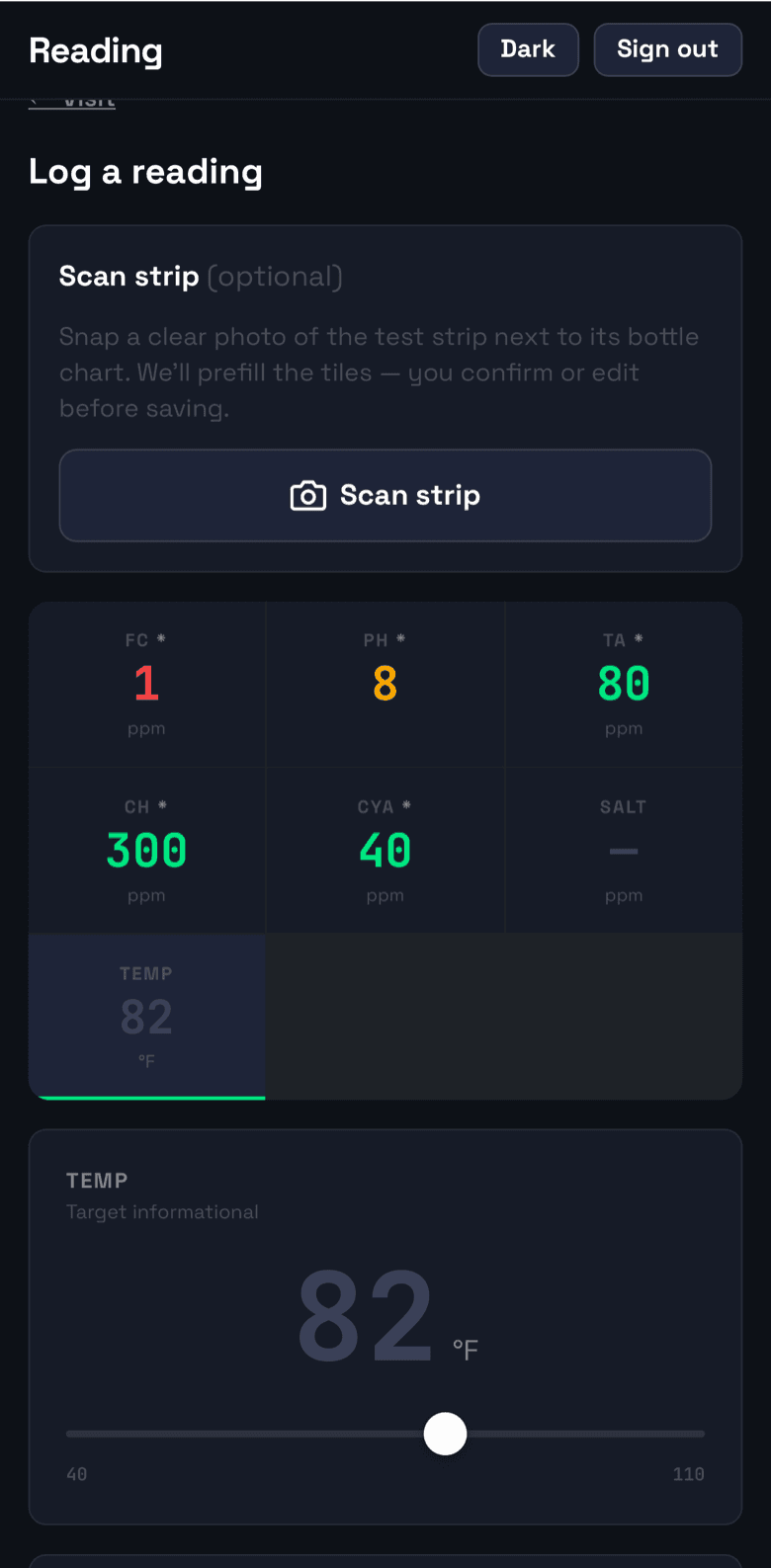
Log the reading at the pool
Scan a test strip with the camera and AI fills in the values, or key them in manually — big targets, wet-hands friendly. If the AI isn’t confident in a value, it says so and asks for manual entry instead of guessing. Attach a photo if you want proof of condition.
- 04
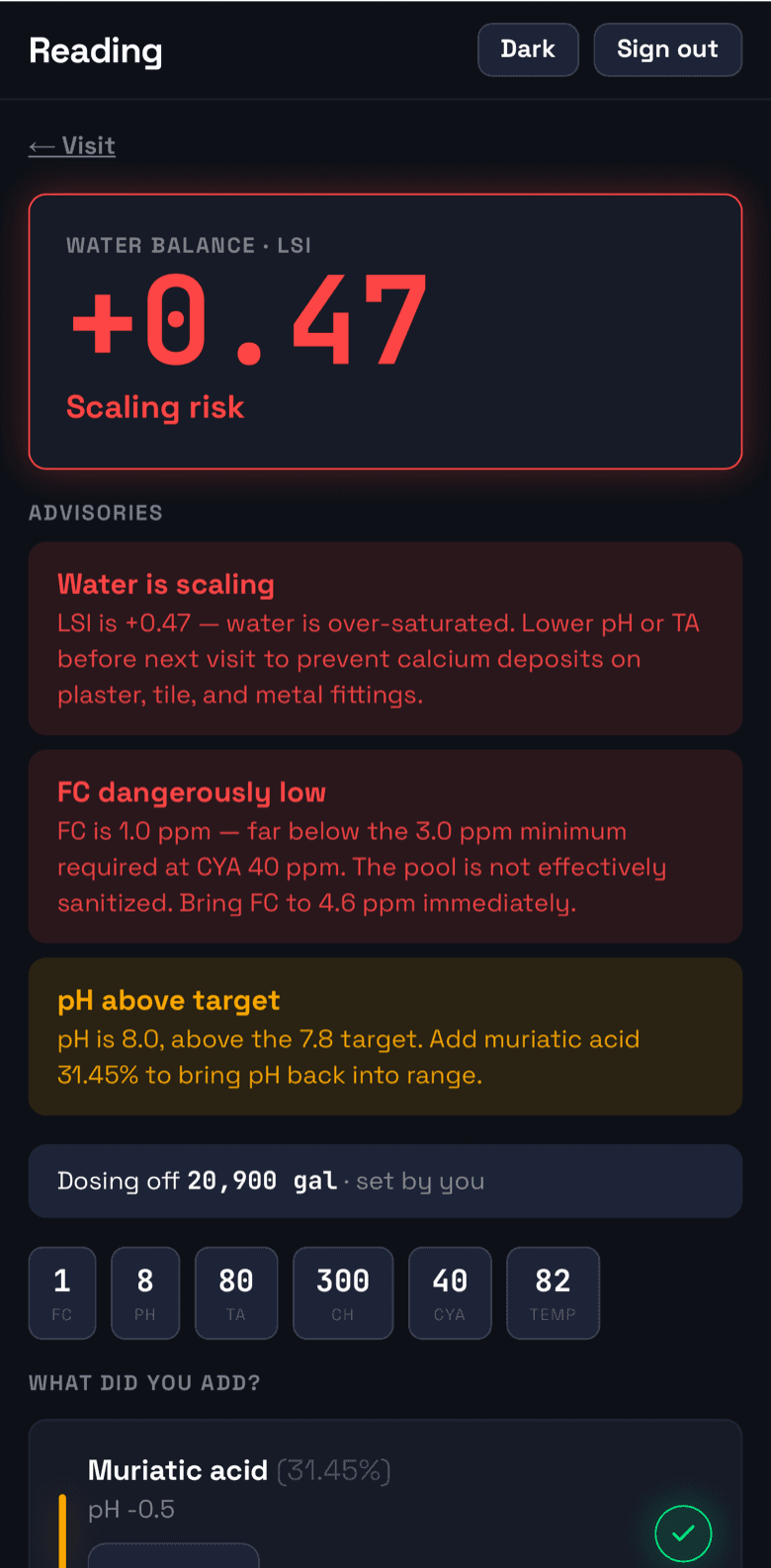
Get the dose, right there
Dose runs the chemistry math on the spot: how much chlorine, acid, or alkalinity to add for this pool’s volume, plus the LSI balance. The tech treats the water before leaving, not after the office calls.
- 05
Everything syncs back to Jobber
When the phone reconnects, each visit’s readings post to the Jobber job as a [Dose]-tagged note — updated in place, never duplicated. Turn on custom fields and the job also carries the latest FC, pH, and LSI. The office sees the day’s chemistry in the tools they already use, and the dashboard flags anything out of range.
secure.getjobber.com![A Jobber job page showing a [Dose] note with the visit’s chemical readings, LSI, and chemicals added](/_next/image?url=%2Fscreens%2F04-jobber-note.png&w=3840&q=75)
- 06
Send the customer a service report
From the dashboard, the office can send a clean, branded service report for any visit — readings, dosing, and photo included — so the homeowner sees the work that was done.
admin.doseapp.ai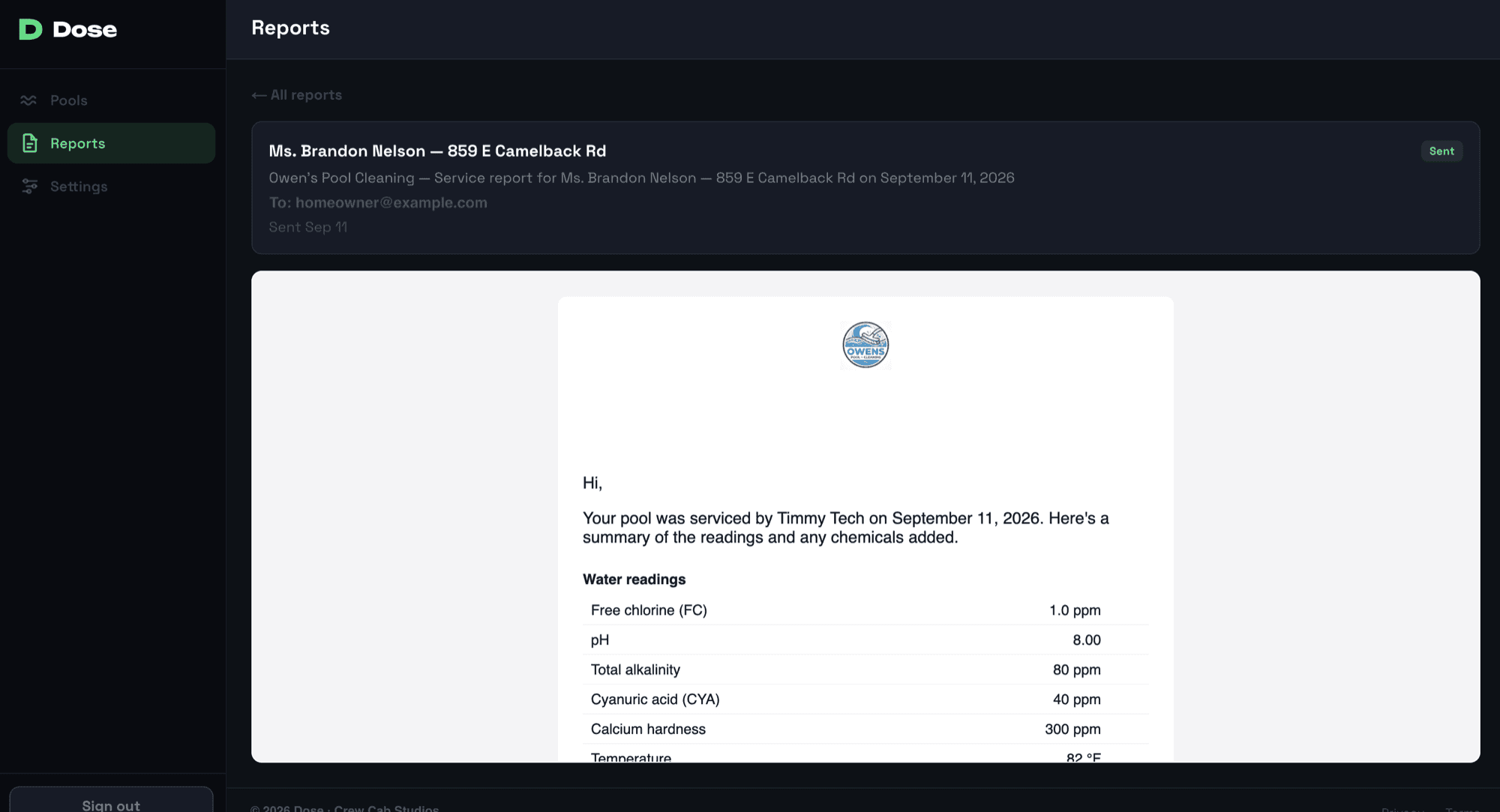
Built for the field
Offline first, because pools don’t have Wi-Fi
- Today’s visits are cached on the phone before the tech leaves the shop.
- Readings queue locally and replay automatically on reconnect.
- If the same visit gets logged twice while offline, the second log is flagged for review — never silently dropped.
See it on your own route
Connect a Jobber account and log your first pool in minutes.
Get early access